A well-designed desk setup can make work feel easier and more enjoyable. Your surroundings affect how quickly you find what you need, how often you get distracted, and how comfortable you feel during the day.
You do not need expensive equipment or a large room to create a better workspace. Small changes to your desk height, screen position, lighting, and storage can have a noticeable impact. Use the tips below to build a setup that supports both focus and comfort.
Start With the Right Desk Location
Your desk location sets the tone for your entire workspace. If possible, choose a spot with enough natural light and limited foot traffic. A quiet corner can make it easier to concentrate, while a window may provide a pleasant view during breaks.
Try to avoid placing your desk directly in a busy walkway or next to a frequently used door. Constant movement can become a distraction, especially when you are working on tasks that require deep focus.
When choosing a location, consider:
– Access to power outlets
– Available space for your chair and movement
– Natural and artificial lighting
– Noise from other rooms or outside
– Distance from entertainment devices
– The background visible during video calls
If your desk must share space with another activity, create a clear boundary. A small room divider, shelf, or rug can help make the workspace feel separate from the rest of the room.
Set Up Your Chair and Desk Height
Your chair and desk should allow you to work without constantly reaching, leaning, or lifting your shoulders. Adjust the chair so your feet rest comfortably on the floor. Your knees should be at a relaxed angle, and your shoulders should not feel raised while typing.
Your desk should be high enough for your arms to rest comfortably when using the keyboard. Keep your elbows close to your body instead of reaching forward or to the side.
A few simple adjustments can help:
– Sit with your back supported by the chair
– Keep your feet flat on the floor or on a footrest
– Let your shoulders remain relaxed
– Place your keyboard where your elbows can stay near your sides
– Keep frequently used items within easy reach
If your desk is too high and cannot be adjusted, a footrest can help improve your sitting position. If it is too low, sturdy desk risers may provide a practical solution.
Position Your Monitor Carefully
The monitor should be easy to view without forcing you to bend your neck or lean toward the screen. Place it directly in front of you, rather than at a sharp angle.
The top of the screen should be near eye level, although the ideal position depends on your posture and screen size. You should be able to view the main working area without repeatedly looking far up or down.
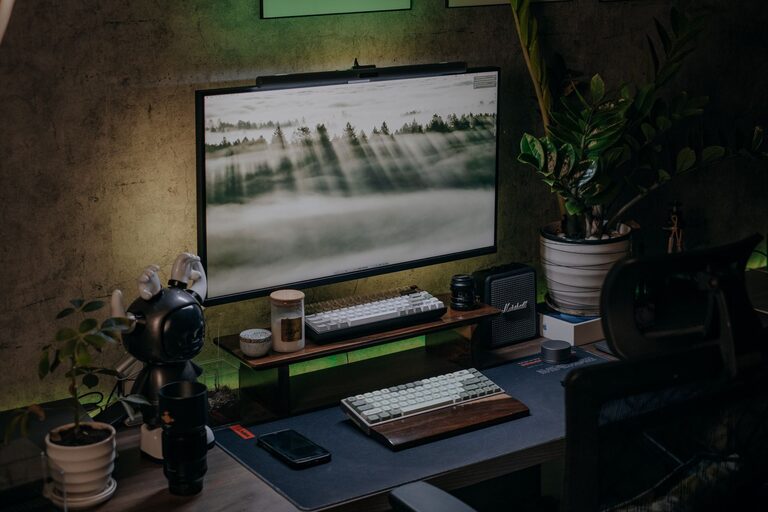
Keep the monitor about an arm’s length away, then adjust the distance based on text size and viewing comfort. If you use two monitors, place the one you use most directly in front of you. Put the second screen beside it at a similar height.
For laptops, a separate keyboard and mouse can make it easier to raise the screen while keeping your hands at a comfortable level. This is especially useful when a laptop is your main computer.
Choose Lighting That Reduces Distractions
Good lighting makes it easier to read and can help your workspace feel more inviting. Natural light is useful, but direct sunlight on your screen may create glare. Position the desk so light comes from the side when possible.
A desk lamp can provide extra light in the evening or on cloudy days. Choose one with adjustable direction so you can illuminate paper, notebooks, or the keyboard without shining directly into your eyes or onto the screen.
To improve your lighting:
– Reduce glare by changing the screen angle
– Use curtains or blinds when sunlight is too strong
– Keep the area behind your monitor from being dramatically brighter than the screen
– Choose a soft, even light for evening work
– Clean bulbs and lampshades regularly to maintain brightness
If you switch between different types of work, adjustable lighting can make the setup more flexible.
Keep Your Keyboard and Mouse Comfortable
Your keyboard and mouse should support a relaxed working position. Keep them close enough that you do not need to extend your arms. Avoid placing the mouse too far to the side, as this can lead to unnecessary reaching throughout the day.
A compact keyboard may create more room for the mouse. If you frequently use a number pad, you may prefer a full-size keyboard, but make sure it does not force the mouse too far away.
Consider these small improvements:
– Choose a mouse that fits comfortably in your hand
– Keep the keyboard level and stable
– Use keyboard shortcuts to reduce repetitive mouse movement
– Clean the keyboard and mouse regularly
– Adjust pointer speed so the mouse travels efficiently
Try different positions rather than assuming one arrangement will work for everyone. Comfort often comes from finding a setup that matches your habits and workspace.
Organize the Desk Surface
A crowded desk can make it harder to begin tasks and easier to lose focus. Keep only the items you use regularly on the main surface. Store less frequently used supplies in a drawer, cabinet, or nearby container.
Create a home for each essential item. For example, keep pens in one holder, charging cables in a small box, and notebooks in a vertical file or tray. This makes cleanup faster and prevents objects from spreading across the desk.
A simple desk organization system might include:
– One area for daily tools
– One area for writing or reading
– A cable storage solution
– A small space for personal items
– A clear area for active projects
Do not aim for a perfectly empty desk if that feels impractical. The goal is to make the workspace easy to use and easy to reset.
Manage Cables and Devices
Loose cables can make a desk look untidy and may get in the way. Use clips, ties, or an under-desk cable tray to guide cords along a consistent path. Labeling similar cables can also save time when you need to unplug or move equipment.
Keep chargers and power strips accessible but out of the main working area. Avoid creating a tangled pile behind the monitor. A small cable box can conceal extra length while keeping connections organized.
Review your cables occasionally and remove anything you no longer use. Fewer devices usually mean fewer distractions and less maintenance.
Build Focus-Friendly Habits
A good desk setup works best when paired with simple routines. Before starting work, clear away unrelated items and choose one main task. This reduces the number of decisions you need to make before getting started.
You can also use your workspace to signal different types of activity. Keep a notebook nearby for planning, place your phone out of reach during focused work, and close unnecessary browser tabs.
Helpful habits include:
– Prepare the desk before beginning a work session
– Turn off nonessential notifications
– Keep water nearby
– Use a timer for focused work periods
– Take short movement and screen breaks
– Reset the desk at the end of the day
Short breaks can also make it easier to maintain attention. Stand up, change your viewing distance, or walk around briefly before returning to the next task.
Personalize the Space With Purpose
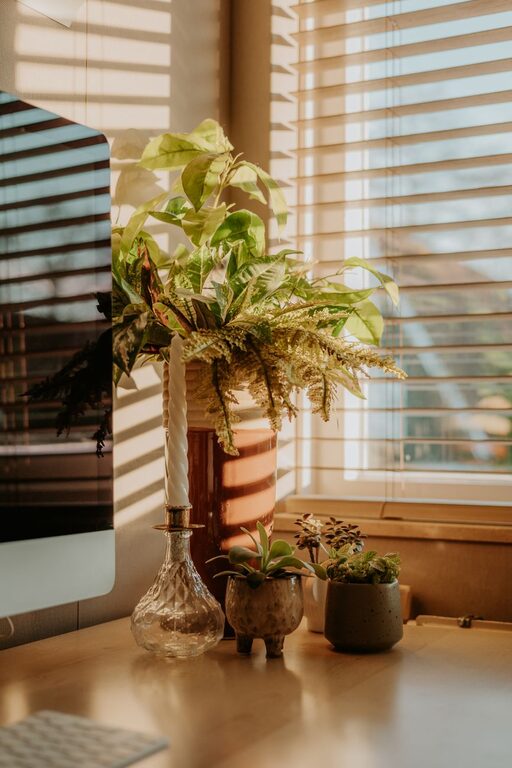
Your desk should feel pleasant without becoming distracting. Add one or two items that make the space feel welcoming, such as a small plant, framed photo, or favorite notebook.
Choose accessories that support your routine rather than taking up valuable space. A calendar, whiteboard, or task list can be useful if it helps you stay organized. If visual clutter affects your focus, keep decorations simple and consistent.
Review your setup every few weeks. Notice what you reach for often, what feels awkward, and what regularly interrupts your work. Then make one small adjustment at a time.
Final Thoughts
A comfortable, focused desk setup comes from thoughtful placement rather than expensive products. Start with the chair, desk, and monitor, then improve lighting, organization, and cable management. Finally, create habits that help you begin, maintain, and finish work with fewer distractions.
The best setup is one that fits your space and daily routine. Make gradual changes, test what works, and keep the workspace simple enough to maintain.
About the Author